
Help Center Plans & billing
Upgrade, switch, or cancel your plan
Pay through PayPal. Switch any time; cancel and keep your plan until the end of the month you've paid for.
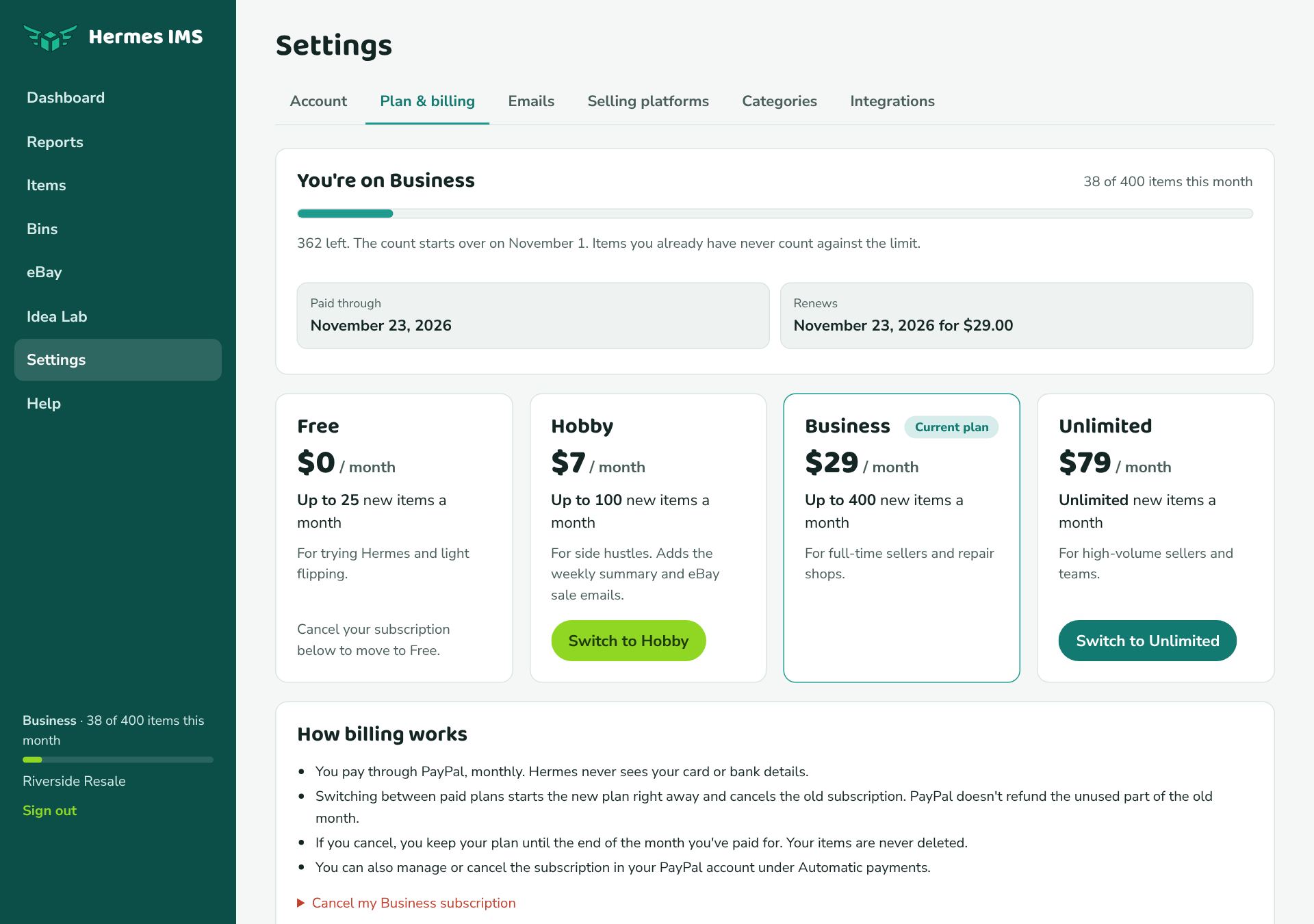
Upgrade
- Go to Settings → Plan & billing.
- Click Upgrade to Hobby (or Business, or Unlimited).
- PayPal opens. Sign in (or pay with a card through PayPal) and click Agree & Subscribe.
- You're brought back to Hermes and the new plan starts right away, including a higher limit for this month.
You'll get an email confirming the plan and the date PayPal will charge next, and a reminder 3 days before each renewal.
See when you're paid through
Settings → Plan & billing shows two dates under your plan:
- Paid through: the last day your current payment covers.
- Renews: when PayPal charges next, and how much. After you cancel, this says Won't renew, and Paid through is the day you move to Free.
Switch plans
On a paid plan, click Switch to … on another plan. The new plan starts immediately and Hermes cancels the old subscription, so you're never charged for both.
Cancel
- Go to Settings → Plan & billing.
- Under How billing works, click Cancel my … subscription, then Cancel subscription.
You won't be charged again. You keep your plan until the Paid through date, then move to Free. Your items are never deleted.
Payments and receipts
- Hermes never sees your card or bank details; PayPal handles payment.
- Receipts come from PayPal. You can also manage or cancel from PayPal: Settings → Payments → Automatic payments.
- If a payment fails, PayPal pauses the subscription and you get an email. You keep your plan until the end of the paid period; update your payment method in PayPal to continue.