
Help Center Getting started
Create your account and sign in
Sign up with your email, confirm it, and sign in on any device.
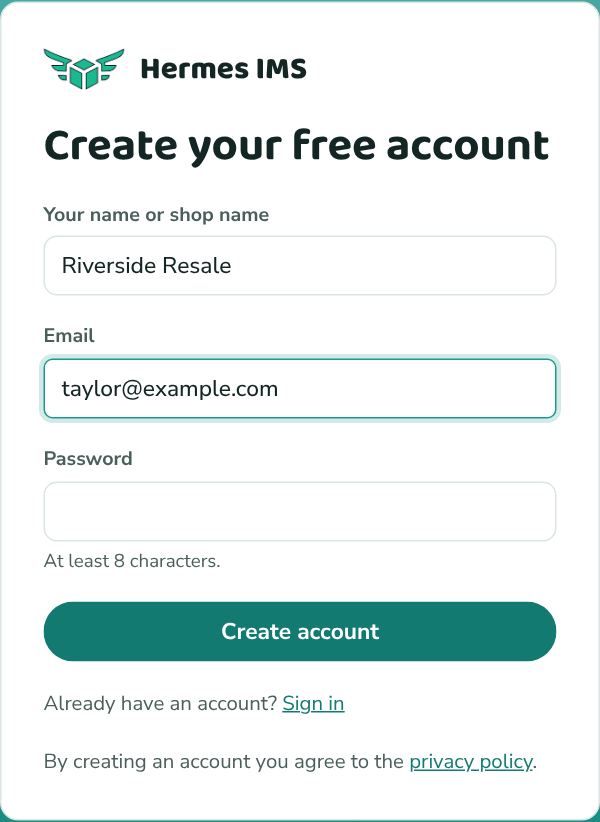
Sign up
- Go to hermesims.com and click Get Started Free (or go straight to /signup).
- Enter your name or shop name (optional), your email, and a password of at least 8 characters.
- Click Create account.
- Open the email from Hermes IMS and click the confirmation link. You land on your dashboard, signed in.
Sign in
Go to /login, enter your email and password, and click Sign in. You stay signed in on that browser until you click Sign out at the bottom of the sidebar.
Forgot your password? Click Forgot password? on the sign-in page. See Reset a forgotten password.
Didn't get the confirmation email?
- Check your spam or promotions folder for an email from Hermes IMS (noreply@mail.hermesims.com).
- Make sure the address you typed is right. If it wasn't, sign up again with the correct one.
- Confirmation links work for 15 minutes. If yours has expired, sign in with your email and password, then click Send a new confirmation link. Still stuck? Email zach@ztech-data.com.