Help Center Account & settings
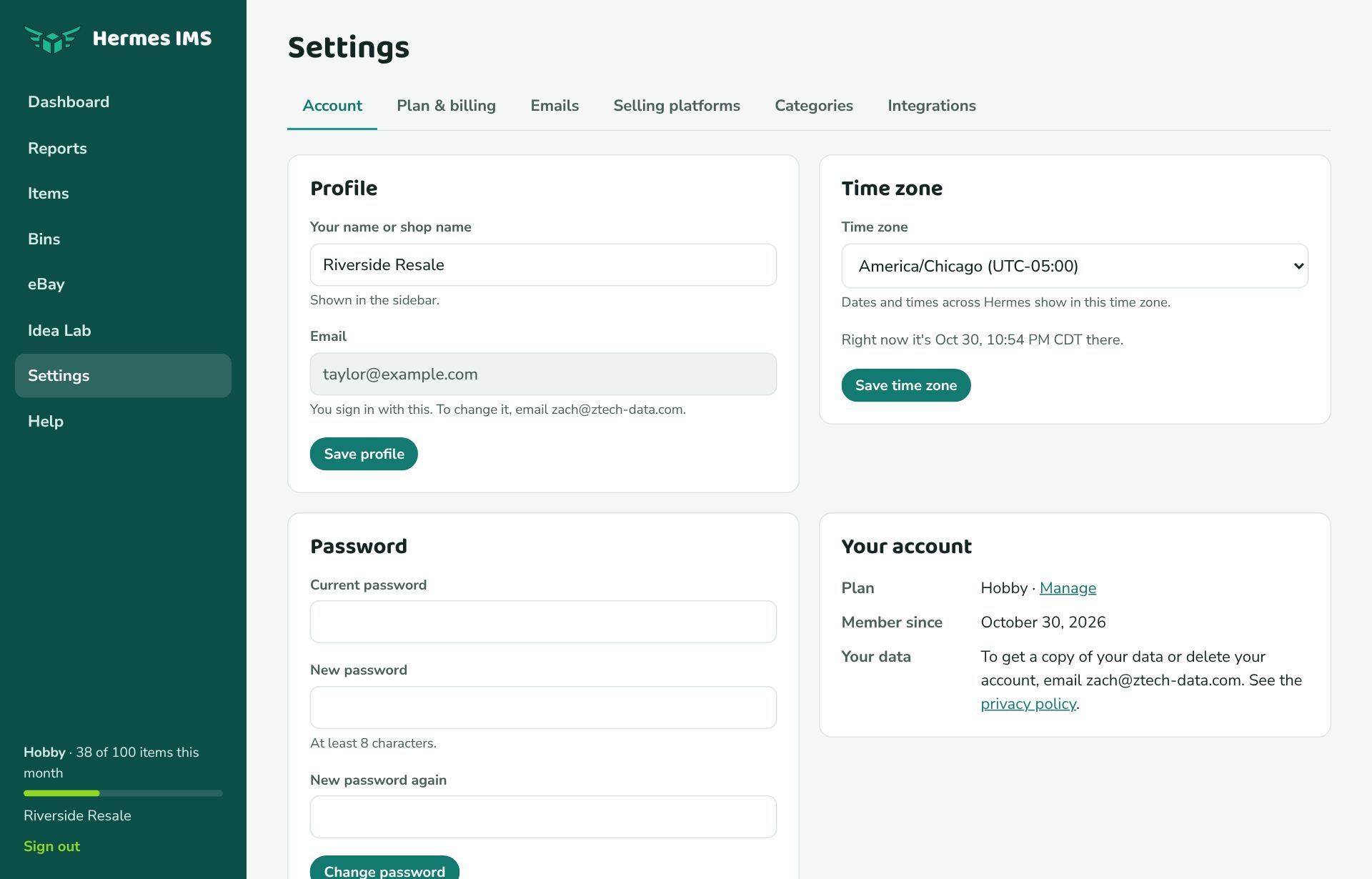
Account settings: name, time zone, password
Change your shop name, time zone, and password, and find your plan and data options.
Profile
Your name or shop name shows in the sidebar and in emails. Change it and click Save profile. To change the email you sign in with, email zach@ztech-data.com.
Time zone
Hermes picks up your time zone from your browser the first time you sign in. All dates and times are shown in it, and "today" (for example when you mark something sold) is your local day. To change it, pick a time zone and click Save time zone.
Password
Enter your Current password and the new one twice (at least 8 characters), then click Change password. Don't know your current password? Reset it from the sign-in page.
Your data
To get a copy of all your data, or to delete your account, email zach@ztech-data.com. To download your sales, use Export to CSV.
Dark mode
Hermes follows your device's light or dark setting automatically.