
Help Center eBay
Review eBay sales and listings
Link eBay sales and listings to your items, create new items from them, or ignore them.
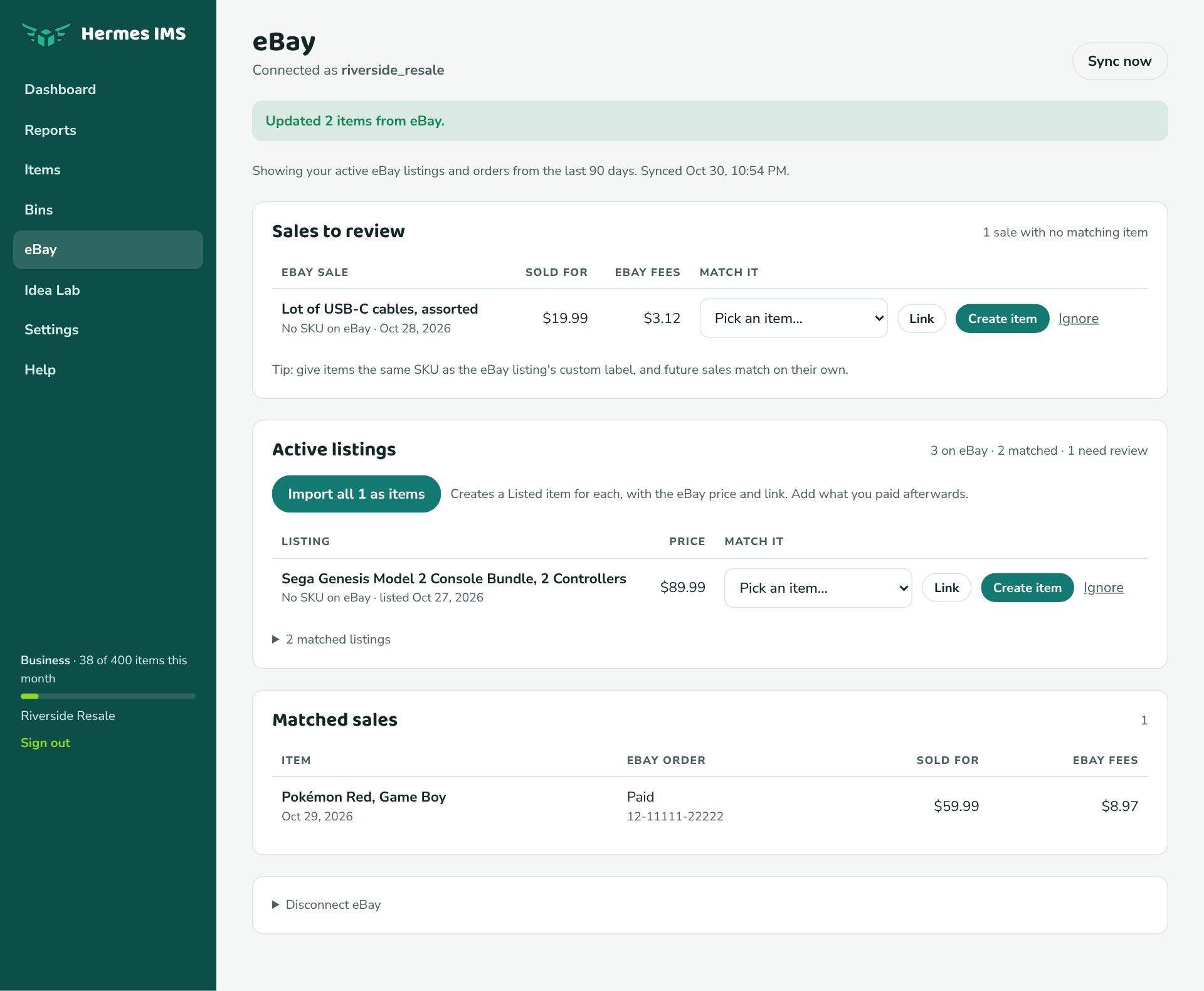
How matching works
Hermes links an eBay listing or sale to one of your items when:
- the item's SKU is the same as the listing's custom label (SKU) on eBay, or
- the item already has that listing's eBay item number (from an earlier link or import).
Matched listings mark the item Listed with the eBay price and link. Matched sales mark it Sold with eBay's price, shipping, and exact fees.
Sales to review
Sales that didn't match anything appear here, with the price and eBay fees. For each one:
- Link: pick the item it belongs to and click Link. The item is marked sold with eBay's numbers.
- Create item: makes a new Sold item from the sale. Add what you paid afterwards so the profit is right.
- Ignore: for sales that aren't inventory (a personal item, for example). You can Stop ignoring it later from the list of other orders.
Active listings
- Import all N as items creates a Listed item for every unmatched listing, with the eBay title, price, and link. This is the fastest way to start if you already sell on eBay.
- Or handle them one at a time with Link, Create item, or Ignore, just like sales.
- N matched listings (click to expand) shows what's already linked.